
EMAIL SUPPORT
dclessons@dclessons.comLOCATION
USDeploying the Fusion Router
In the SD-Access solution, devices are managed and configured by Cisco DNA Center. However, there is a part of the topology which must be manually configured, as components with the role of fusion routers are not managed by Cisco DNA Center. In the SD-Access solution, a fusion router is required to perform VRF route leaking between user VRFs and Shared Services, which may be in the global routing table or another VRF. Shared Services may consist of DHCP, DNS, Network Time Protocol (NTP), wireless LAN controller (WLC), Cisco ISE, or Cisco DNA Center components, which must be made available to other virtual networks in the campus.
Therefore, by creating Border Gateway Protocol (BGP) peerings from the border routers to the fusion routers, the fabric VRFs subnets on the fusion router, which needs access to these shared services, will be leaked into the global routing table, and vice versa. Route maps can be used to help contain routing tables to subnets specific to the Cisco SD-Access Fabric.
A fusion router is required to perform VRF route leaking between user VRFs and Shared Services.
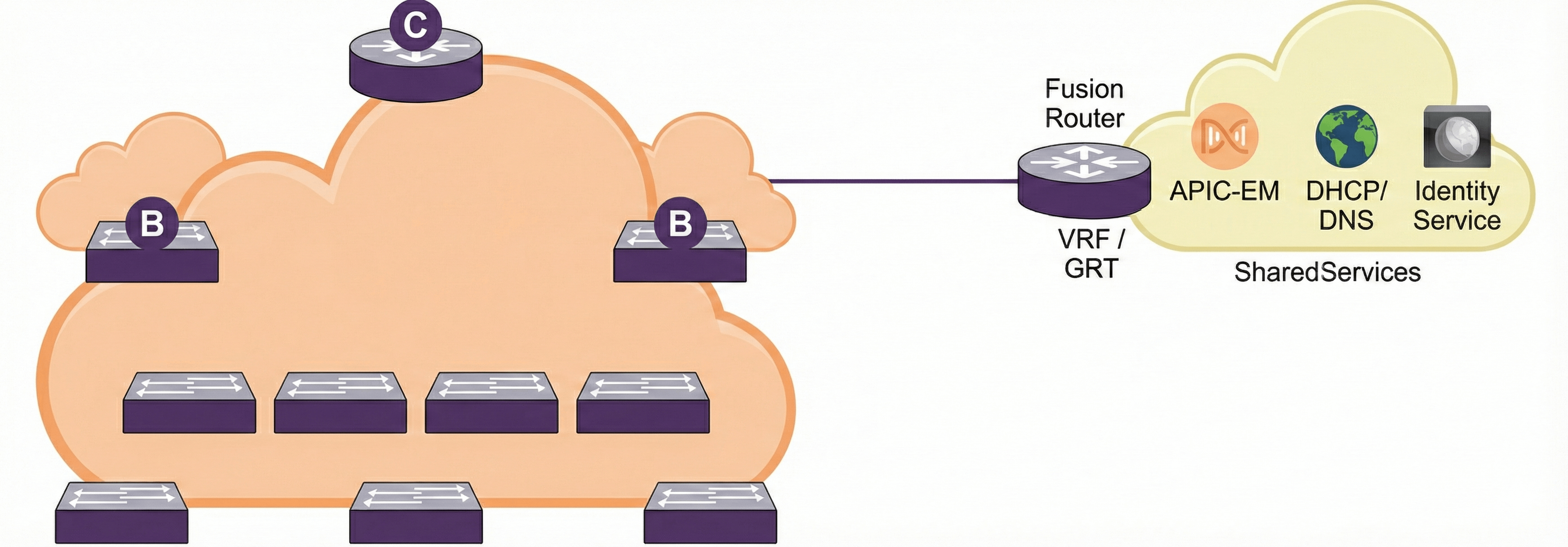
Shared Services Routing
Shared services can be deployed in one of two scenarios:
- Shared Services in the Global Routing Table
- Shared Services in a dedicated VRF
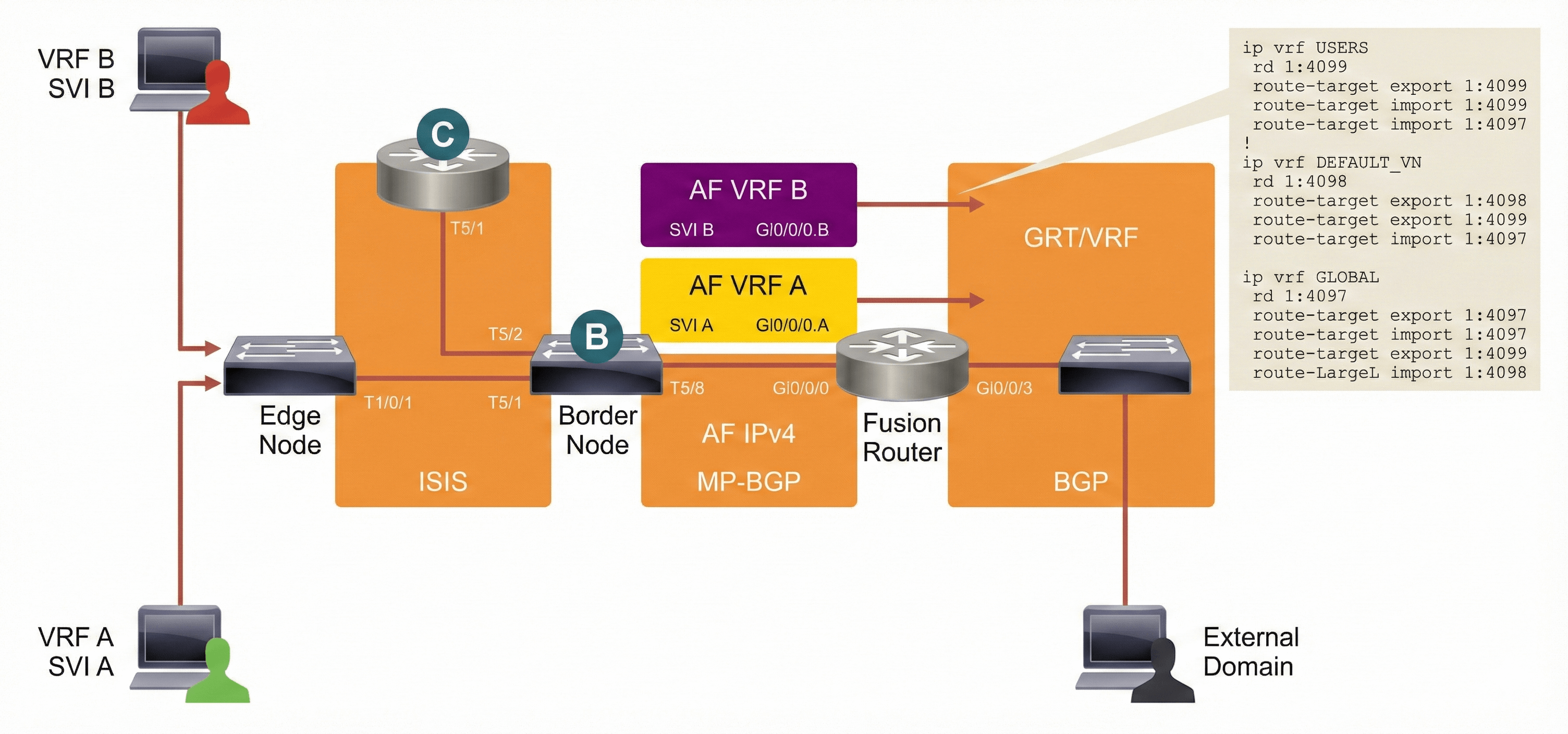
Shared Services in Global Routing Table
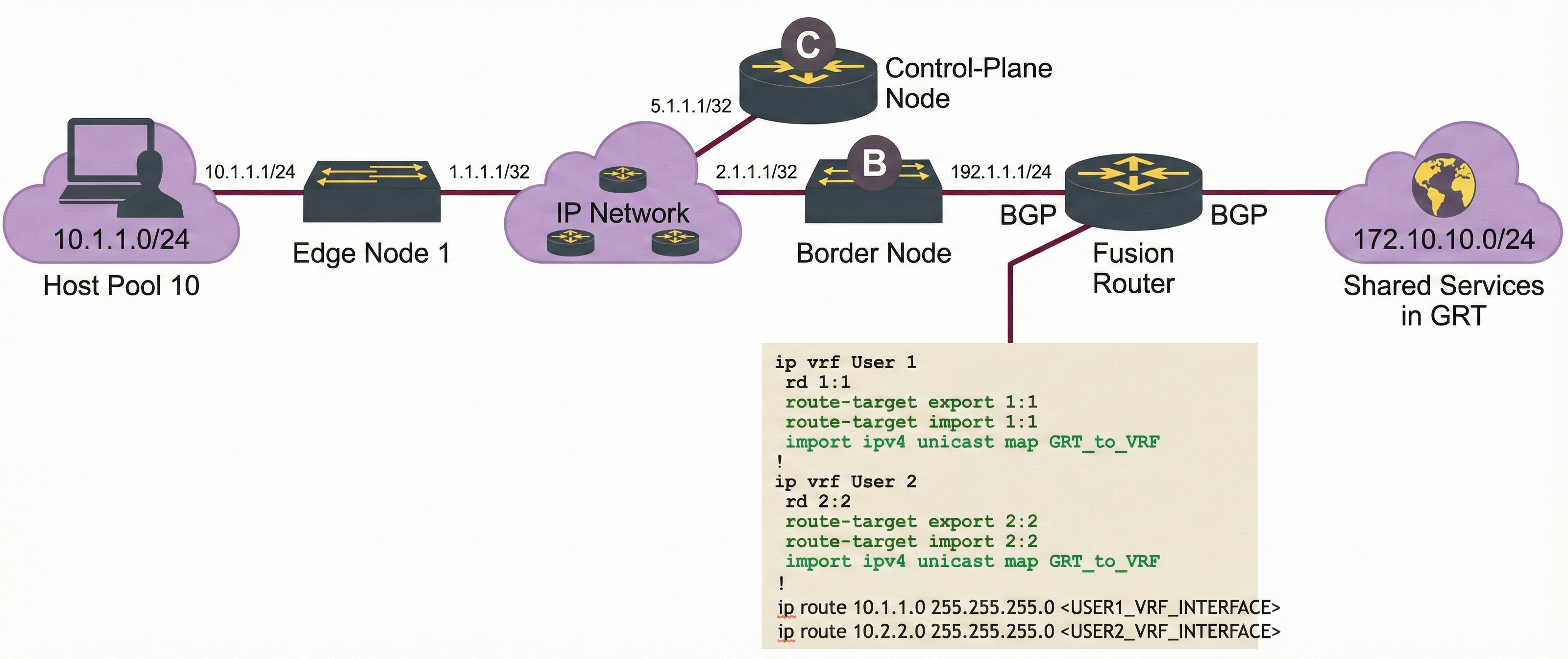
The shared services are in the global routing table and will use the global routing table to form a routing adjacency with the fusion router. On the campus fabric side, you will form a routing adjacency using the VRF table of the endpoint identifier (EID) space from the border to the fusion router. The fusion router will merge the global routing table to VRF using the import and export maps.
Videos

Comment
TABLE OF CONTENTS
RECENT POSTS
- Exploring Cisco ISE Authorization Policy Elements
- Understanding Cisco ISE Authentication and Authorization Policies
- Installing Context-Aware Network Access Control using Cisco ISE Policies
- Designing Network Access Control that is Scalable using Cisco ISE Architecture
- Enterprise Network Access Control and Policy Enforcement using Cisco ISE
- Secure Device Administration and Network Access Using AAA Architecture
- Designing Enterprise-Class Hybrid Cloud Connectivity Using AWS Networking Services
- Exploring Core AWS Networking and Messaging Concepts for Modern Cloud Architectures
- Understanding Key AWS Services for Modern Cloud Architectures
- Building a Strong AWS Foundation with Amazon S3, EC2, and Virtual Private Cloud



LEAVE A COMMENT
Please login here to comment.