
EMAIL SUPPORT
dclessons@dclessons.comLOCATION
USImplementing Legacy Wireless Networks
It is possible to implement legacy wireless networks, or non-fabric wireless deployments, managed by Cisco DNA Center, with the following benefits:
- Non-fabric deployments support both, centralized and Cisco FlexConnect local switching deployment models.
- Non-fabric wireless deployment allows using N+1 high availability (HA) for WLAN controllers.
- N+1 rolling AP upgrades become possible.
- You can use Cisco DNA Center to configure either Cisco Catalyst 9800 Series WLCs, or AireOS WLCs without having to learn the specific syntax of commands on either platform.
Legacy Wireless Provisioning Workflow

To start managing the wireless network with Cisco DNA Center, first, discover your WLC and provision it to the site.
Once your APs discover your WLC and are populated in the Cisco DNA Center inventory, provision your APs to the sites.
Discover WLC
For successful discovery and management with Cisco DNA Center, the following minimum configuration must be present on a WLC:
- Secure Shell (SSH) or Telnet must be enabled (NETCONF over SSH for C9800)
- CLI login credentials
- Simple Network Management Protocol (SNMP) credentials
Wireless management interface
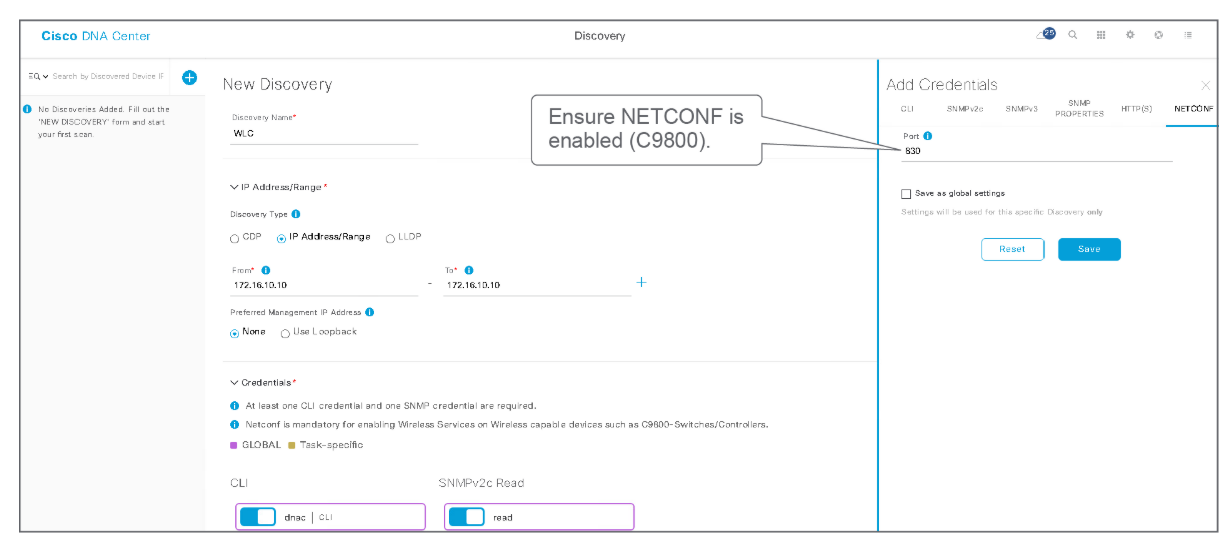
Cisco DNA Center adds the following configuration to the WLC after the discovery:
- Multiple certificates:
- Cisco DNA Center device certificate issuing Certificate Authority (CA)
- Enroll device certificate of WLC to Cisco DNA Center
- Cisco DNA Center server certificate and its issuing CA certificate
- Cisco smart licensing agent root CA
- Generated self-signed certificate named “ewlc-tp1” for AP joining
- SNMP credentials
- SSH or HTTP source interface from management SVI or IP
- Enabled network assurance telemetry
Provision WLC to Site
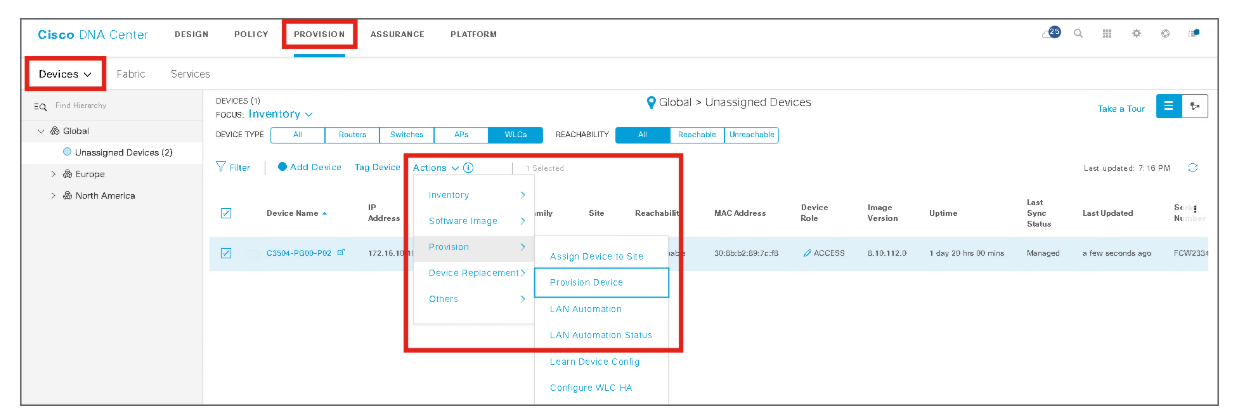
Use the provisioning workflow to deploy all the settings that are configured in the design workflow to the WLC
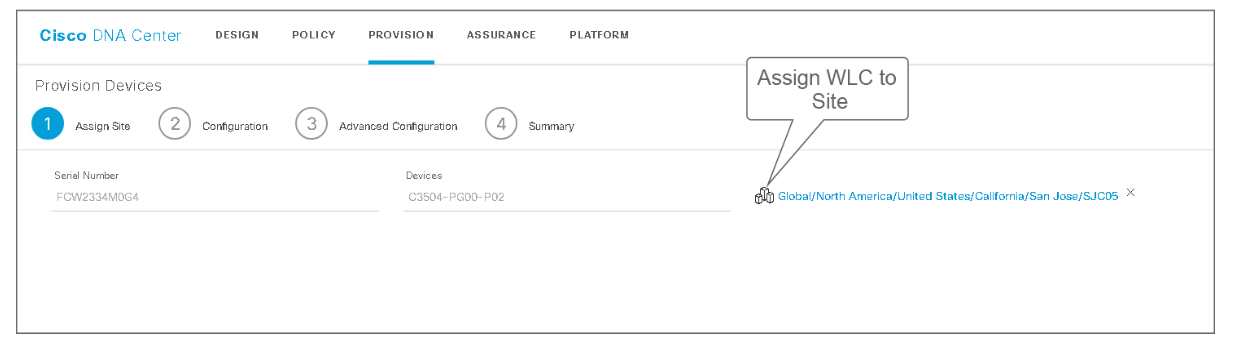
Assign the WLC to a site. The WLC must be assigned to a building where managed APs will be assigned to floors.
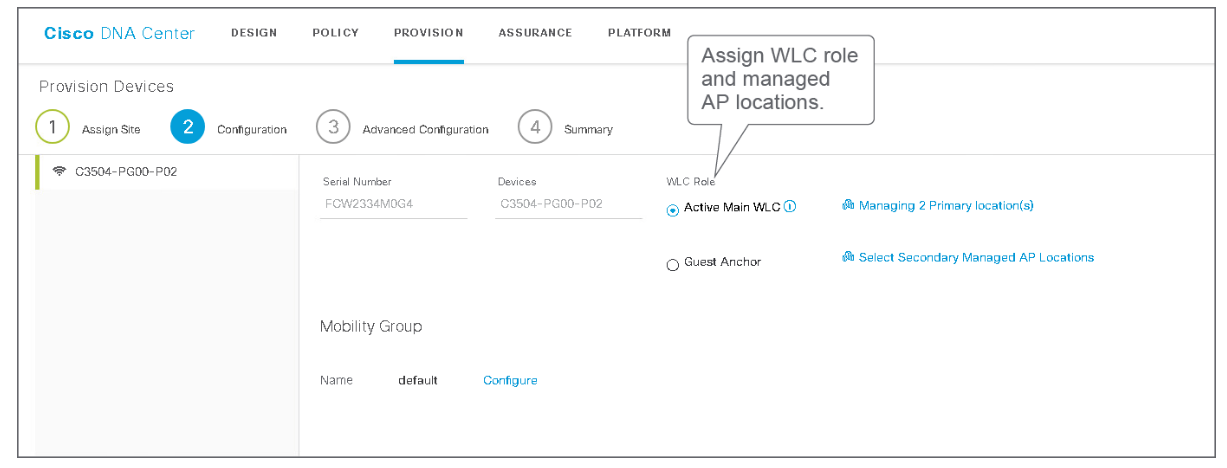
Configure the WLC role and managed location (the floors within the building), mobility groups for seamless roaming between APs managed by different WLCs, and potentially enable AP rolling upgrades.
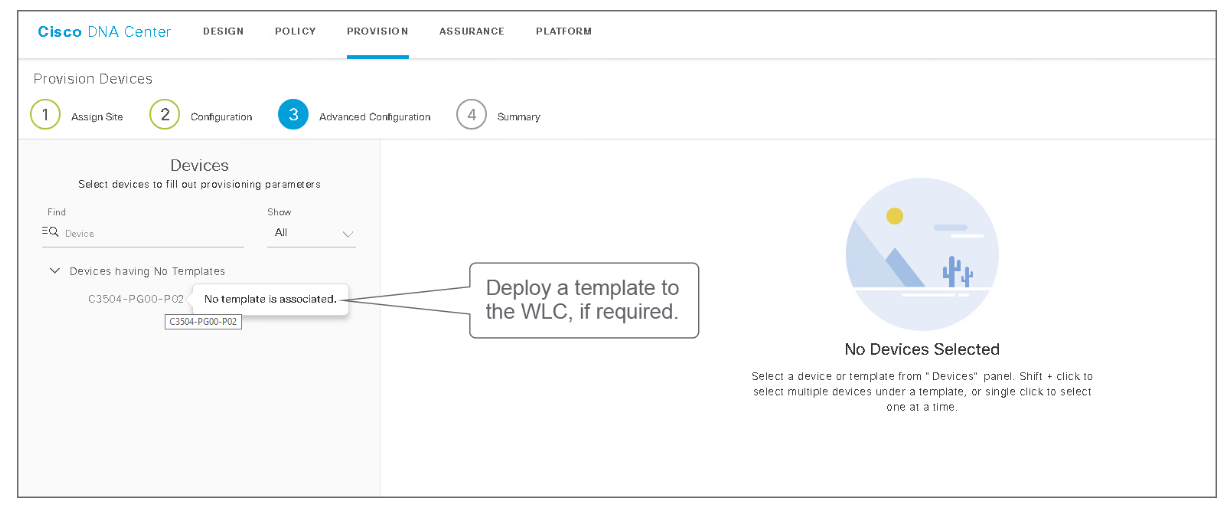
Attach a configuration template, if required, to augment the configuration that Cisco DNA Center generates. Configuration templates are optional and are used only if required to configure additional features.
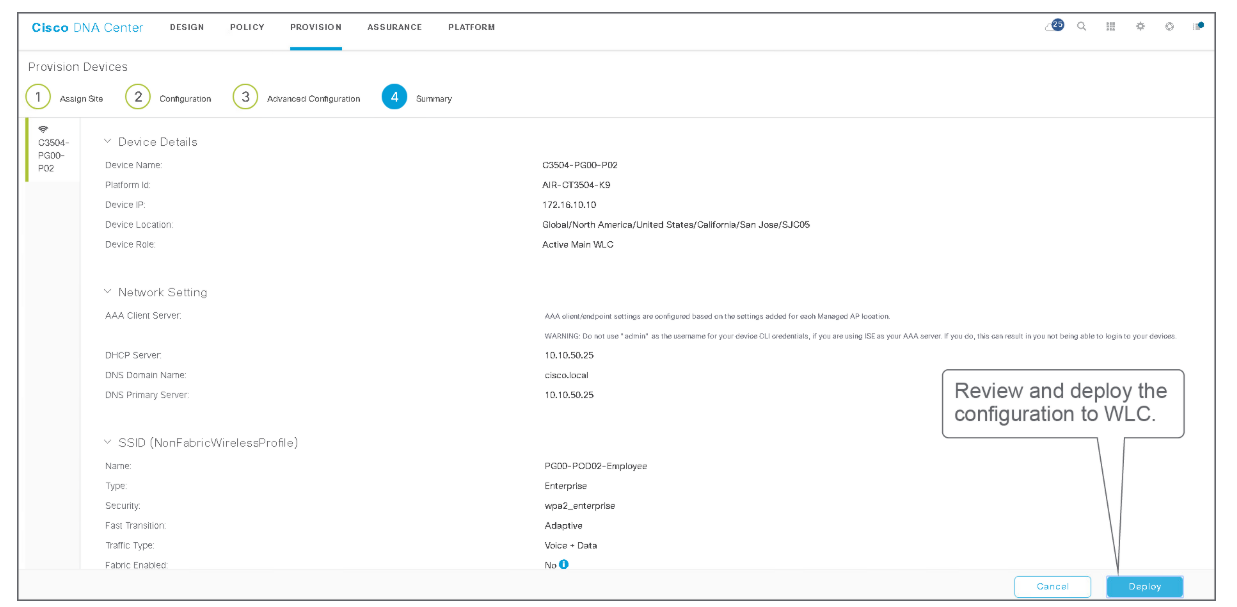
Review the intent that is to be deployed to the WLC. Deploy the intent to the WLC.
During deployment, Cisco DNA Center will convert the intent into device-level configuration. Below is a sample of the configuration that is deployed to an AireOS WLC
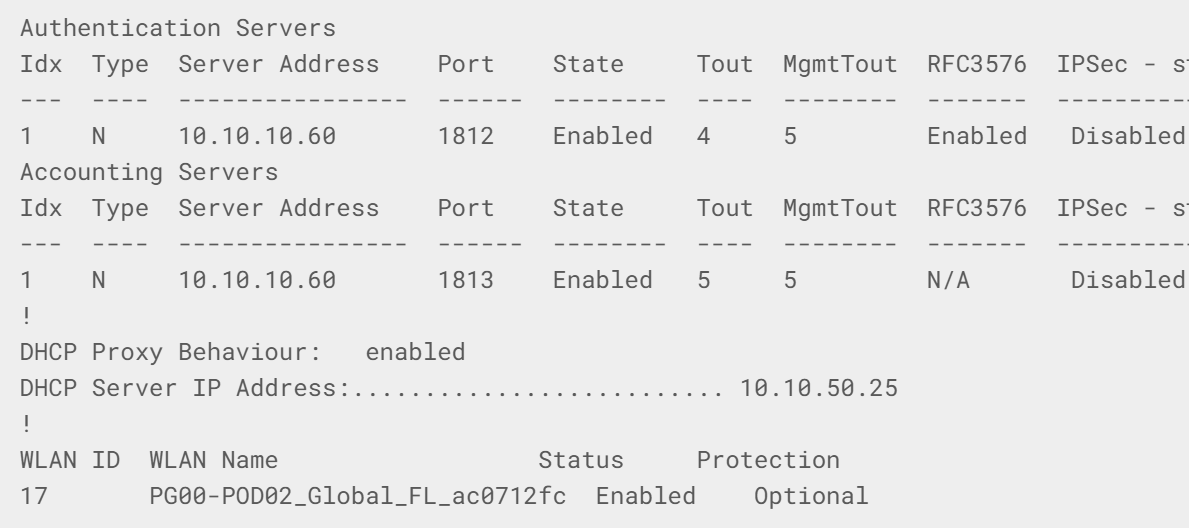
The output above displays part of the configuration that is deployed to the WLC. The configuration includes the parameters such as:
- Authentication, Authorization, and Accounting (AAA)
- DHCP
- DNS
- NTP
- And so on...
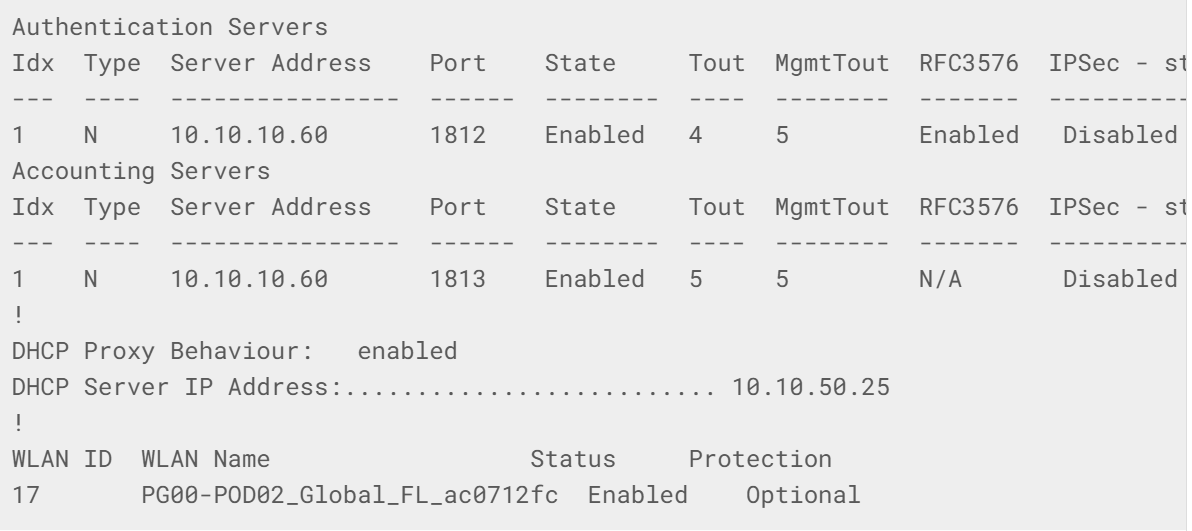
The configuration that is deployed to the AireOS WLC will look as follows (only a part of the configuration sample is shown):
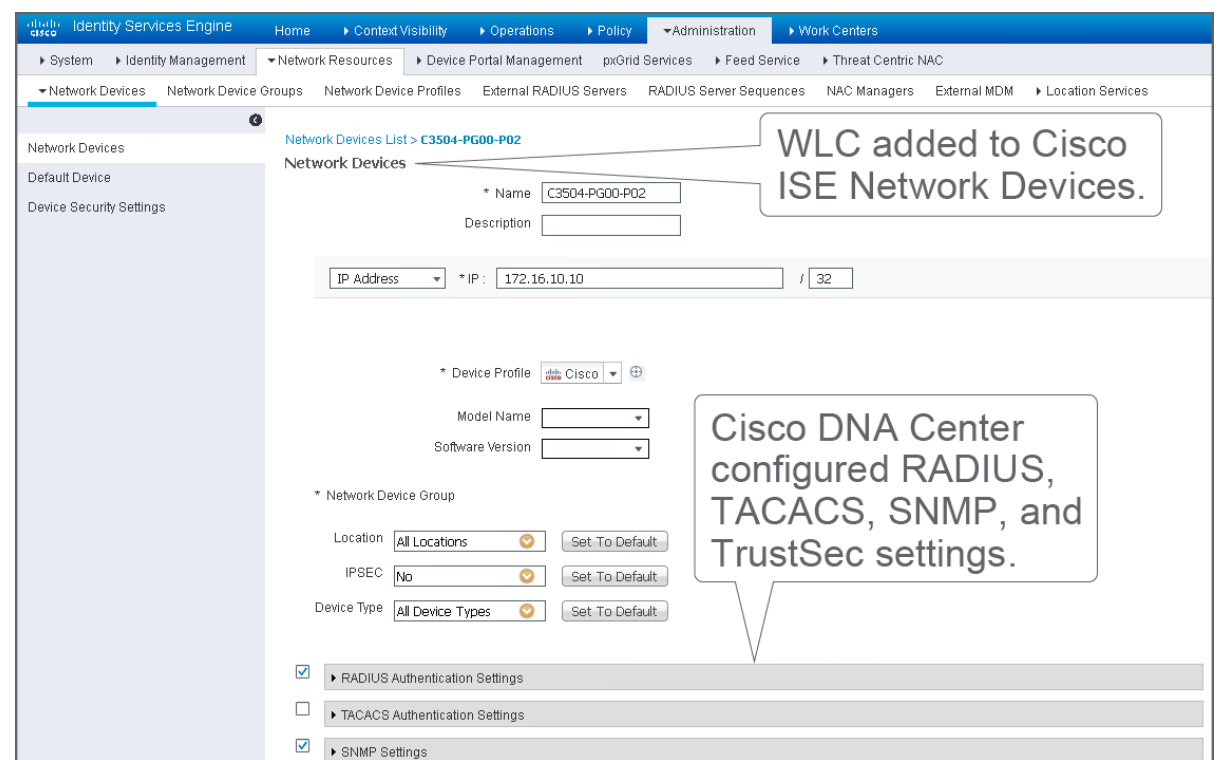
During provisioning, Cisco DNA Center will configure the device under Network Devices in Cisco ISE.
Videos

Comment
TABLE OF CONTENTS
RECENT POSTS
- Exploring Cisco ISE Authorization Policy Elements
- Understanding Cisco ISE Authentication and Authorization Policies
- Installing Context-Aware Network Access Control using Cisco ISE Policies
- Designing Network Access Control that is Scalable using Cisco ISE Architecture
- Enterprise Network Access Control and Policy Enforcement using Cisco ISE
- Secure Device Administration and Network Access Using AAA Architecture
- Designing Enterprise-Class Hybrid Cloud Connectivity Using AWS Networking Services
- Exploring Core AWS Networking and Messaging Concepts for Modern Cloud Architectures
- Understanding Key AWS Services for Modern Cloud Architectures
- Building a Strong AWS Foundation with Amazon S3, EC2, and Virtual Private Cloud



LEAVE A COMMENT
Please login here to comment.