
EMAIL SUPPORT
dclessons@dclessons.comLOCATION
USTroubleshooting Endpoint Learning
To troubleshoot endpoint connectivity issues, you should use the Cisco ACI endpoint verification tools, so you can understand why the issue occurred. In addition, you may utilize the endpoint learning optimization and control configuration knobs in the ACI fabric, to avoid issues in specific deployments, which can benefit from these features. So, you can employ additional steps to find errors in the logical and concrete constructs, to resolve any misconfiguration.
With the understanding of the Cisco ACI fabric configuration and behavior, and details of the endpoint learning, you can further inspect the Layer 2 or Layer 3 packet flow, to resolve the potential issues.
Endpoint Troubleshooting Tasks
Unicast forwarding and reachability issues in the Cisco ACI fabric can be a result of, but are not limited to:
- Endpoints not showing up in the forwarding tables
- Endpoints not able to communicate with each other; non-zoning rule policy (contract) related problems
- VLANs not being programmed
- Incorrect configurations causing these problems and subsequent faults raised, and so on.
The following figure depicts an endpoint connectivity issue between two VMs connected to the ACI fabric:
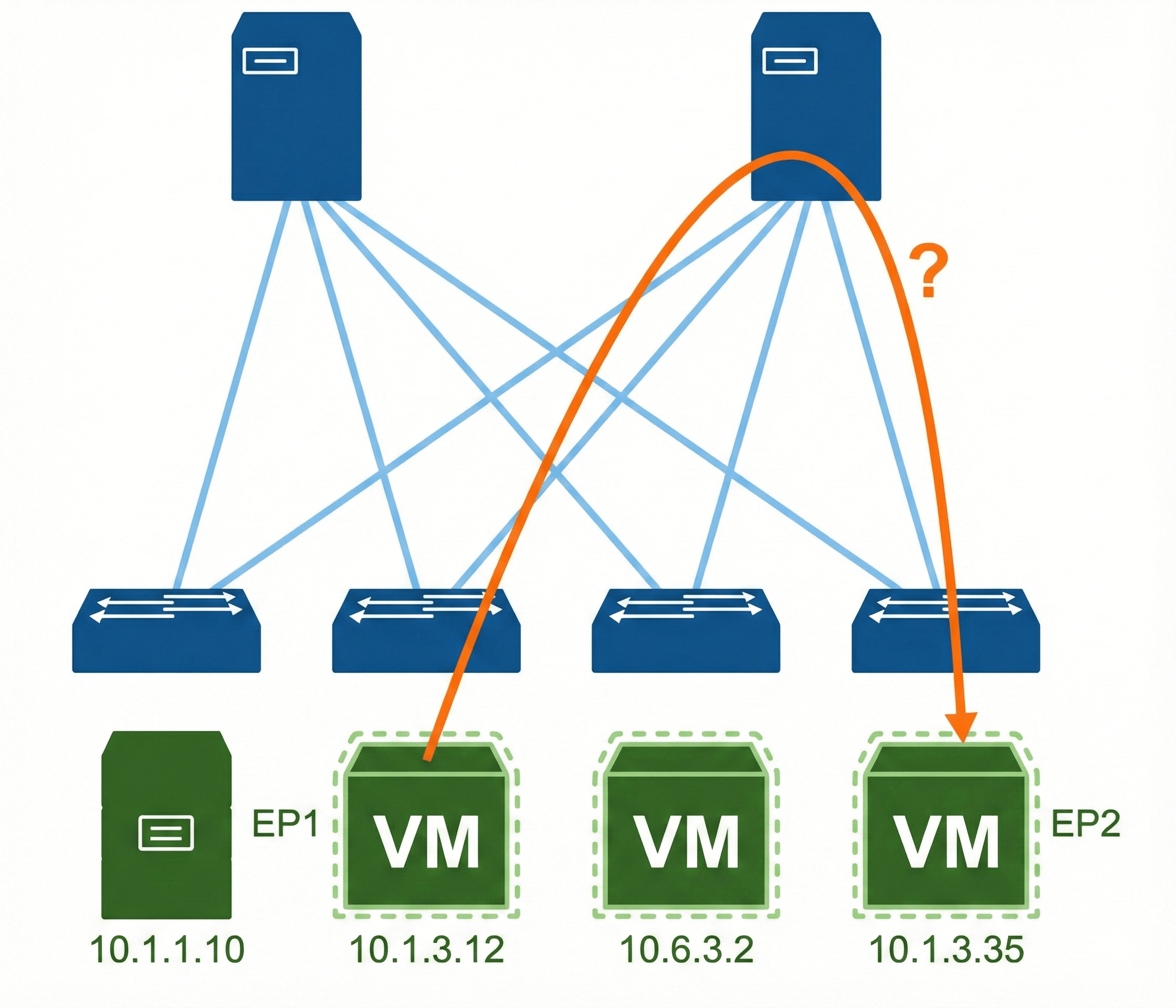
To resolve the endpoint connectivity issues, you should follow the common endpoint troubleshooting tasks, which include:
- Inspect the endpoint operational status in the tenant. The operational status should reveal any fault or misconfiguration of the endpoints.
- Employ endpoint tracker to view endpoint connections and disconnections to leaf switches and FEXes. You may even perform simple checks using the traceroute, to reveal any problems with intermediate nodes, or even use the Enhanced Endpoint Tracker or unique fabric-wide analysis.
- View the COOP database to inspect the endpoint address and location information.
- Verify the discovered endpoint from both the leaf switches and Cisco APIC.
- Inspect EPG faults related to endpoint connectivity.
- Inspect the contracts under each EPG to whether they are configured or not. It contracts are utilized, make sure they allow the traffic that should flow between the EPGs. As a test, you can temporarily open the contracts to allow unrestricted traffic.
- Verify the fabric access policies, related to the concrete model constructs, such as:
- AEP / Domain / VLAN pool
- Interface / Switch profiles
- Interface Policies / Policy Groups
Troubleshooting Layer 2/Layer 3 Forwarding Flow
The information for the endpoint in the endpoint table, such as the location and the EPG for the MAC address and/or IP addresses, is used to switch or route packets, and to apply a contract. Thus, to resolve endpoint connectivity issues, you may have to inspect the traffic forwarding in the ACI fabric in more details.
Videos

Comment
TABLE OF CONTENTS
RECENT POSTS
- Exploring Cisco ISE Authorization Policy Elements
- Understanding Cisco ISE Authentication and Authorization Policies
- Installing Context-Aware Network Access Control using Cisco ISE Policies
- Designing Network Access Control that is Scalable using Cisco ISE Architecture
- Enterprise Network Access Control and Policy Enforcement using Cisco ISE
- Secure Device Administration and Network Access Using AAA Architecture
- Designing Enterprise-Class Hybrid Cloud Connectivity Using AWS Networking Services
- Exploring Core AWS Networking and Messaging Concepts for Modern Cloud Architectures
- Understanding Key AWS Services for Modern Cloud Architectures
- Building a Strong AWS Foundation with Amazon S3, EC2, and Virtual Private Cloud



LEAVE A COMMENT
Please login here to comment.