
EMAIL SUPPORT
dclessons@dclessons.comLOCATION
USLAB VRF Route Leaking with L3Out
Topology
Task
Configure a new VRF (Exchange_VRF) and leak networks between it and the L3Out configured for the external Catalyst switch
Solution
Configure VRF Route Leaking with L3Out
You will create a new VRF (Exchange_VRF) and its children, a bridge domain (Exchange_BD), and an EPG (Exchange_EPG). The first scenario, based on a single contract (FileServices_Ct), will provide connectivity between the OSPF_L3Out and a shared service located in the Exchange_EPG, as shown in the following figure:
FIG
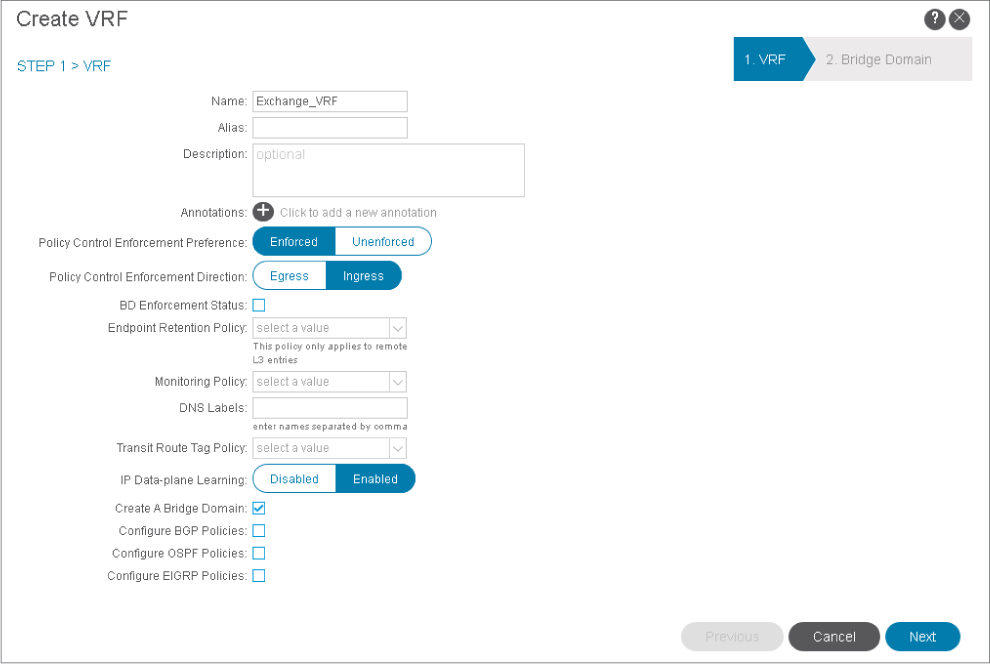
Go to Tenants > Sales > Networking, right-click VRFs, and choose Create VRF. Create Exchange_VRF and click Next to proceed with bridge domain configuration.
Create Exchange_BD and click Finish to complete the configuration using the default values
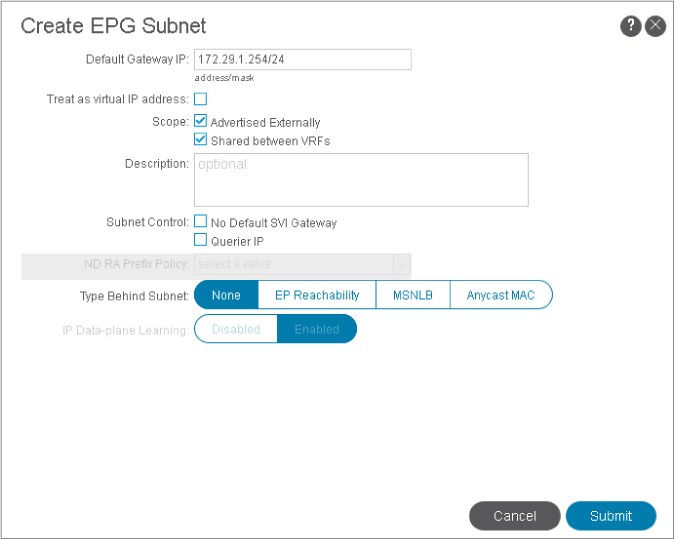
Go to Application Profiles > eCommerce_AP, right-click Application EPGs, and choose Create Application EPG. Create Exchange_EPG, associate it with Exchange_BD, and click Finish.
Right-click Exchange_EPG, choose Add Physical Domain Association, choose Sales_PhyDom, and click Submit.
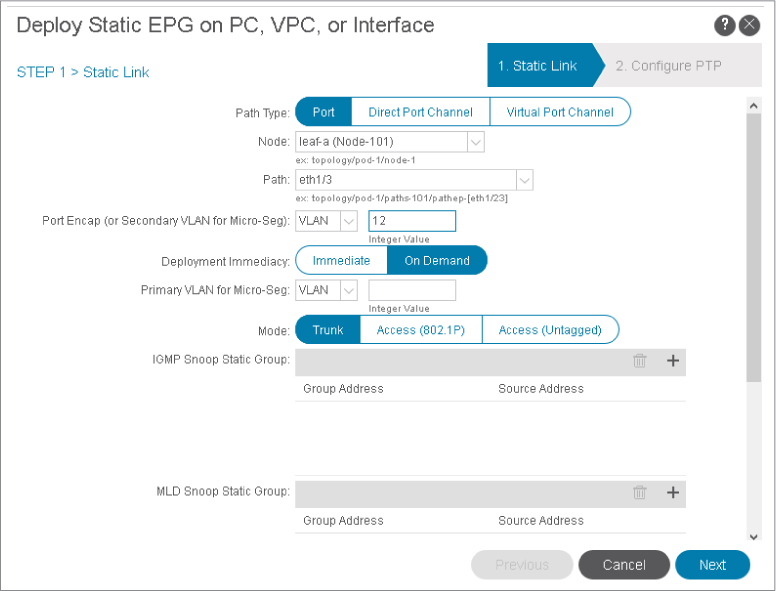
Within the Exchange_EPG, right-click on Static Ports and choose Deploy Static EPG on PC, vPC, or Interface. Configure a static path binding with the following parameters. Click Next and Finish.
-
Path Type: Port
-
Node: leaf-a
-
Path: eth1/3 (interface attached to the ESXi host)
-
Port Encap (or Secondary VLAN for Micro-Seg): VLAN 12
-
PTP State: Disabled
Use PuTTY to connect to leaf-a & b. Log in . View the VRFs and examine the Exchange_VRF routing table.
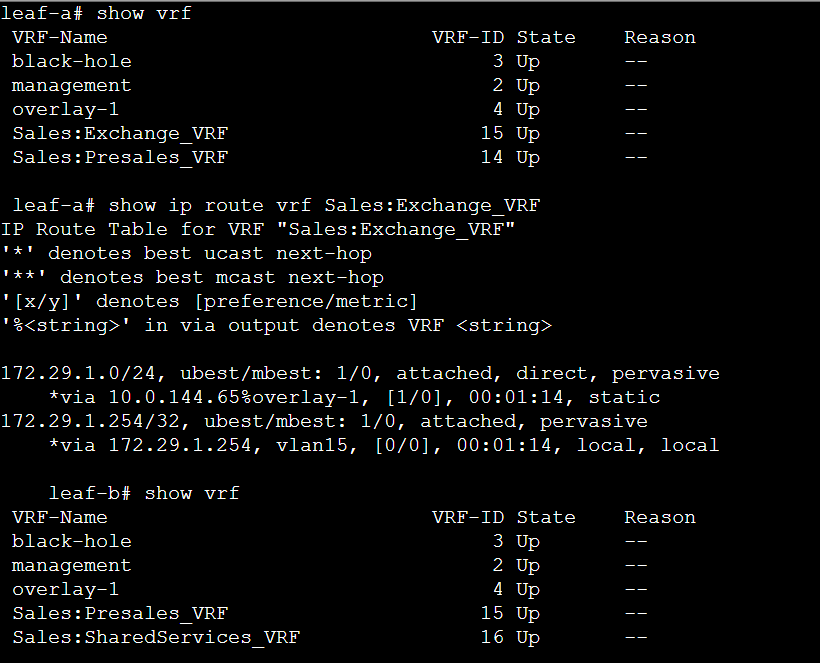
The new VRF does not appear on leaf-b because there are no contracts that would invoke route leaking.
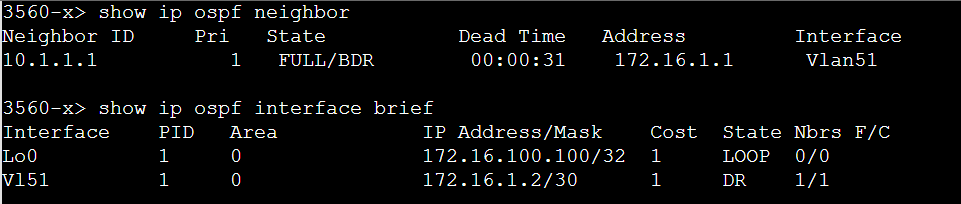
SVI for VLAN 51 is used to establish point-to-point connectivity to leaf-b. The Loopback interface with IP address 172.16.100.100/32 is announced into OSPF and you will test connectivity using that IP address.
On leaf-a and leaf-b, verify external routes in the Presales_VRF. Look for the external network 172.16.100.100/32, received from the 3560 SW.
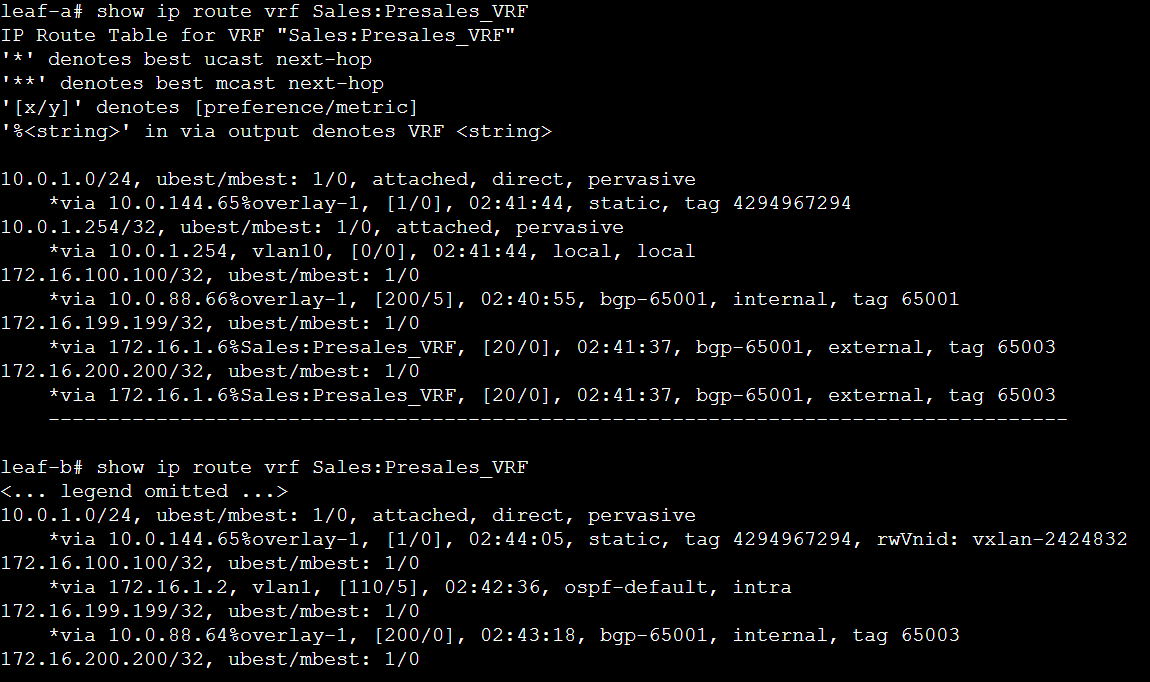
The external network has been propagated within the Presales_VRF throughout the entire fabric.
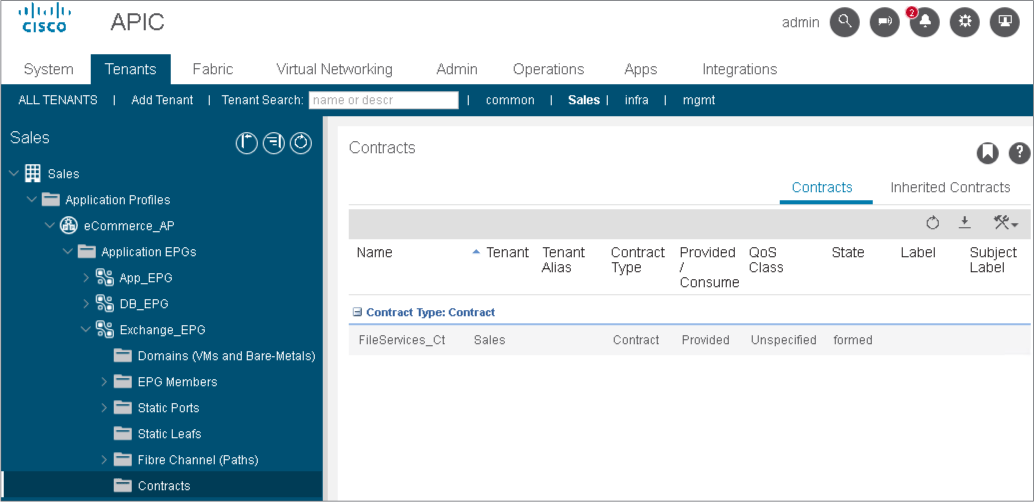
Go to Application Profiles > eCommerce_AP>Application EPGs > Exchange_EPG > Contracts and assign FileServices_Ct as a provided contract.
On leaf-a and leaf-b, view the Presales_VRF routes. Look for subnet 172.29.1.0/24 to check if it has been leaked to it.
Why has the subnet (172.29.1.0/24) not been leaked? Presales_VRF routing table on leaf-b:
The internal subnet has not been leaked to the Presales_VRF. First, you need to widen the contract scope to enable the leaking. The default scope is VRF, which does not allow leaking to other VRFs.

Comment
TABLE OF CONTENTS
RECENT POSTS
- Exploring Cisco ISE Authorization Policy Elements
- Understanding Cisco ISE Authentication and Authorization Policies
- Installing Context-Aware Network Access Control using Cisco ISE Policies
- Designing Network Access Control that is Scalable using Cisco ISE Architecture
- Enterprise Network Access Control and Policy Enforcement using Cisco ISE
- Secure Device Administration and Network Access Using AAA Architecture
- Designing Enterprise-Class Hybrid Cloud Connectivity Using AWS Networking Services
- Exploring Core AWS Networking and Messaging Concepts for Modern Cloud Architectures
- Understanding Key AWS Services for Modern Cloud Architectures
- Building a Strong AWS Foundation with Amazon S3, EC2, and Virtual Private Cloud



LEAVE A COMMENT
Please login here to comment.